Indianapolis News from 13 WTHR
- 3.3
- Rating
- 100.00K
- Installs
- Free
- Price

 Analysis by App-foxy
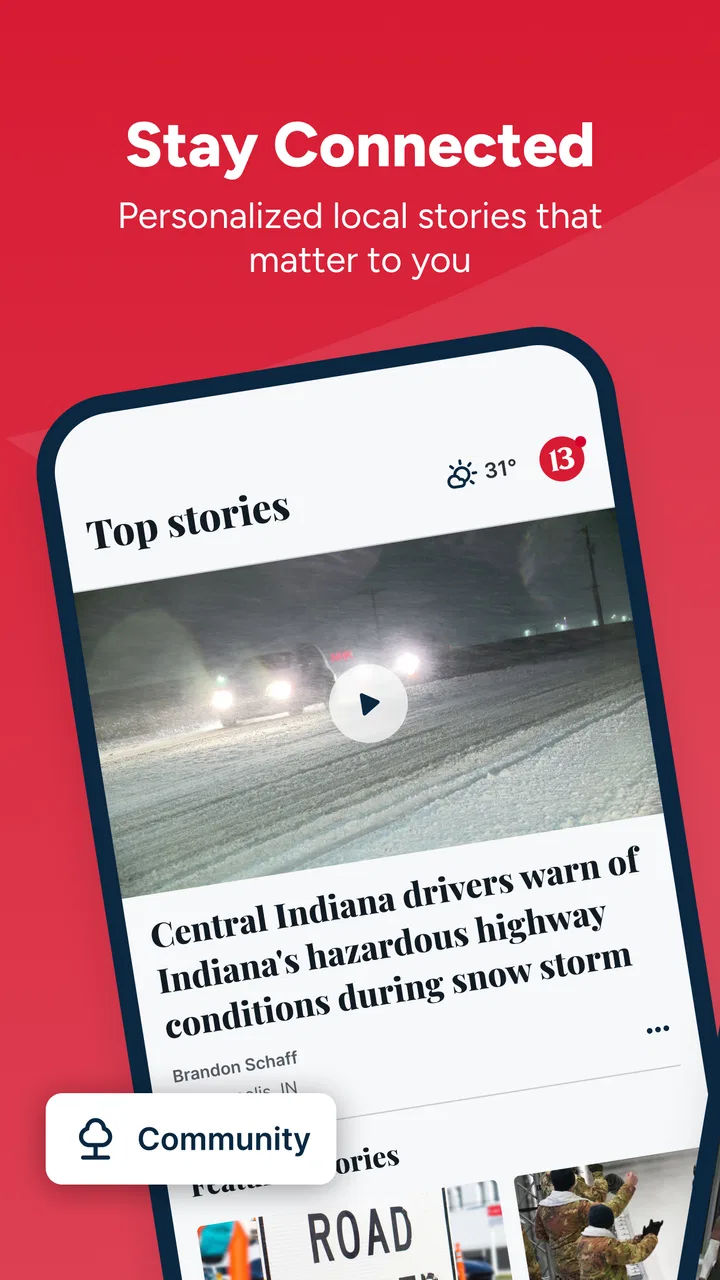
I installed Indianapolis News from 13 WTHR to see whether it works as a practical news companion for a household, rather than treating it as just another headline feed. Its focus is clear: local reporting for Indianapolis, with breaking updates, live video, and weather in one place. That narrow focus is also its biggest strength. If you live in the area or regularly need to keep up with what is happening there, the app feels more useful than a broad national news reader. If you want worldwide coverage, deep customization, or a completely neutral all-in-one news dashboard, its local design may feel limiting.
The app is free and belongs to the News & Magazines category. It comes from TEGNA, the company behind the 13 WTHR news identity, and it is intended for an Everyone audience. I found that combination important when thinking about shared phones and tablets: the app is easy to hand to another person, but the responsibility for deciding what to watch or read still belongs to the household. An Everyone label does not mean every breaking-news image or story will suit every child, especially when serious local events are developing.
How it works in a shared Indianapolis household
A realistic use case is a family getting ready on a weekday morning. One person wants a quick weather check before leaving, another wants to know whether traffic or a local event could affect the commute, and someone else wants a short look at overnight headlines. A local news app can serve those needs faster than opening several unrelated services, because the location and editorial focus are already centered on Indianapolis.
You May Also Like

 Blood Strike: 2.5 Anniversary
Blood Strike’s Loadouts Turn Every Drop Into a Tactical Gamble
A close look at Blood Strike’s custom loadouts: how fast access to signature weapons reshapes its battle royale rhythm, rewards preparation, and narrows the gap between fights.

 Pandora - Music & Podcasts
Pandora’s Music Is Easy to Start, but Harder to Recover
Pandora’s strength is its low-effort path from a seed to a station. Its weak spot is how much confidence it asks you to place in connection, setup, and quiet recovery.

 8 Ball Pool
 Is Built on Rivalries, Rematches, and Routine
A close look at the rivalries, rematches, shared routines, and unanswered safety questions that turn a quick pool match into a persistent mobile community.

 Samsung Music
’s Quiet Strength Is Playing What You Already Own
Its reach comes less from spectacle than from dependable access to a personal library. That simplicity is both the app’s strongest retention engine and its ceiling.

 AccuWeather: Weather Radar
AccuWeather Review: A Quick, Clear Forecast for Everyday Decisions
For everyday plans, the best forecast is the one you can understand quickly. AccuWeather makes rain timing, radar, and local conditions easy to act on, with a few trade-offs.

 Hill Climb Racing
Why Hill Climb Racing Still Turns Crashes Into One More Run
A tiny car, a bumpy hill and one more upgrade: Hill Climb Racing keeps resurfacing because its simple chaos makes every near-miss feel personal.
More From Our News Desk



I also see value in a shared kitchen tablet or a device passed between adults during the day. One household member might open the weather section before walking the dog, while another checks live coverage during a developing local story. That shared-device pattern makes the app more useful than a purely personal news feed, since its purpose is easy to understand without a long setup process.
There is a trade-off, though. Shared access does not automatically create separate personal spaces. If several people use the same device, the app should be treated as a common window into local news, not as a private profile system. I would avoid assuming that each person can maintain an independent reading history, alert arrangement, or personalized home screen. For a household that needs strict account separation, a browser-based approach or separate devices may be easier to manage.
The local emphasis also changes how I judge the app. I would not install it expecting the breadth of a national newspaper app. Instead, I would use it for regional awareness and pair it with another source when I need international reporting, specialist coverage, or a wider political and business perspective. Its best role is the household’s local information layer, not its only source of news.
What the first few minutes tell you
The initial experience is straightforward because the app’s purpose is immediately visible. You are not trying to build a complicated collection of topics before getting value from it. The Indianapolis focus gives the content a natural starting point, and that is particularly helpful for someone who has just moved to the area or wants a local source without sorting through national stories first.
When I set up a news app on a shared device, I prefer to establish expectations before handing it to someone else. I would explain that the app is for local headlines, live coverage, and weather, and that the person using it should check the story time and context before forwarding a dramatic update. This is not a technical feature; it is a useful household habit, especially when breaking news can change quickly.
The app is free, which removes the most common barrier to trying it. That makes it practical for a family that wants local coverage without adding another subscription to the monthly budget. The downside is that free news apps can be more dependent on advertising and promotional presentation than paid publications. I would expect the reading experience to feel less controlled than a premium, subscription-first newspaper app, even though the free access is a genuine advantage.
Compatibility is also reasonably approachable for older devices. The minimum operating-system requirement is Android 7.1, so people using an aging Android phone may still be able to install it. The current version is 50.23.2, which tells me the app is maintained as an active product rather than being an abandoned local utility. I would still check the device’s available storage and system support before planning to use an old shared tablet as the household news screen.
Keeping setup boundaries clear
On a family device, the most important boundary is not a hidden setting but knowing who controls the device and who is merely borrowing it. I would keep the app installed on a device whose owner is comfortable with local-news notifications and live coverage. If a child uses the same tablet, I would make sure an adult remains responsible for deciding whether alerts are appropriate and for discussing upsetting stories when necessary.
I would also avoid treating the app as an emergency communication system. News coverage can help a household understand a developing event, but it should not replace official instructions from local authorities or direct contact with schools, workplaces, and emergency services. That distinction matters because a live news stream is informative, while an official alert may contain the specific action residents need to take.
Another boundary concerns attention. If several people share a device, constant notifications can interrupt everyone, not just the person who installed the app. I would begin with a quiet setup, observe how often the household actually checks the app, and then decide whether alerts are worth the disruption. A person who wants every update may appreciate immediacy, while someone who only needs a morning briefing may find repeated interruptions frustrating.
The same principle applies to live video. Live coverage is useful when a story is unfolding and a written summary has not caught up, but it demands more attention and may include distressing scenes. I would use it deliberately rather than leaving it playing in a common room all day. That is a small but meaningful difference between using the app as a news tool and allowing it to become background noise for the entire household.
Coordinating weather, headlines, and live coverage
The strongest household workflow is to give each part of the app a specific job. Weather is the quick check before leaving home. Headlines are for understanding what deserves attention. Live video is for moments when the situation is changing and a visual update adds something that a short article cannot. Separating those purposes helps prevent the app from feeling like an endless stream of urgent information.
For example, I would check the weather first thing, scan local headlines after that, and open live video only when a story affects my plans or needs immediate context. This sequence is more efficient than starting with video, because video can consume time before I know whether the story matters to me. It also works well on a shared device: each person can get a fast answer without taking over the tablet for a long session.
A useful coordination habit is to mention the story rather than simply passing the phone around. Saying “there is a developing road closure” or “the weather has changed for the afternoon” gives the next person a reason to open the relevant section. It reduces the chance that someone sees a dramatic headline without understanding why it was shared.
I would also compare the app’s local view with the information needed for a decision. If I am planning a commute, a local forecast and news report may be helpful, but I would still verify the route using a dedicated navigation service. If I am checking school plans, I would look for the school’s own message as well. The app can provide context and awareness, but it should not be forced to perform the job of every other service.
Compared with a general news aggregator, the Indianapolis focus is less broad but often more efficient for local relevance. Aggregators are better when I want many publishers, national coverage, or a single place to compare different perspectives. Compared with a newspaper app, this one is more appealing to readers who want a free mix of local news, weather, and video rather than a publication built around a paid reading relationship. The right choice depends on whether speed and local convenience matter more than depth and breadth.
Age, trust, and interpreting local news
The Everyone content rating makes the app approachable for a broad audience, but I would still use age judgment in practice. Local news includes accidents, crime, severe weather, public emergencies, and other subjects that can be unsettling even when the app itself is suitable for general audiences. Younger users may need an adult nearby to explain what they are seeing and to decide when it is better to close the story.
For adults, trust is less about accepting every headline immediately and more about using the app as one part of a sensible information routine. I look for the difference between a developing report and a confirmed update, pay attention to when a story was published, and avoid sharing a headline before reading enough of the article to understand it. Those habits are especially important on a shared device, where one person’s rushed interpretation can quickly become everyone’s assumption.
I appreciate a local source because it can provide context that a national feed may overlook. A broad platform might show that something happened in Indiana, while a local Indianapolis newsroom is more likely to make the location and regional impact central to the report. That does not make it automatically complete or sufficient. For contentious stories, I would still consult additional reputable sources, particularly when the household needs to make a serious decision.
There is also a privacy and account-boundary question in any shared setup. I would not assume that using the same app means every household member has the same preferences or should see the same alerts. If the app offers choices during setup, I would review them with the device owner rather than letting a child or guest make permanent decisions casually. If the experience does not match the household’s need for separate identities, I would keep usage simple and treat it as a communal information tool.
Who will appreciate it, and who should skip it
I would recommend the app to Indianapolis residents who want local awareness without paying for a news subscription. It is also a sensible choice for people who have recently moved to the city and need a quick way to learn what is happening nearby. Households that regularly check weather and local developments can get more value from its focused design than readers who only want occasional national headlines.
It is less suitable for someone who wants a deep archive, long-form analysis, or a carefully curated multi-source reading list. A national newspaper app may be better for broad reporting and detailed investigations. A news aggregator may be better for comparing outlets. A dedicated weather app may be better for people who care mainly about forecasts and do not want news notifications or live coverage mixed into the experience.
I would also hesitate to make it the only app on a family tablet if different people have sharply different information needs. One person may want local alerts, another may want international business news, and a child may only need occasional weather information. In that situation, the shared-device convenience can become a compromise. The app works best when the household agrees that Indianapolis news is the common priority.
The audience size suggests that it has found a meaningful group of users: it has more than one hundred thousand installs, with an average rating of 3.3 from around four thousand ratings and roughly one thousand reviews. I read that as a sign of a useful but not universally loved local app. The rating does not make me dismiss it, but it does encourage realistic expectations: convenience and relevance may matter more here than a perfectly polished experience for every user.
My household verdict
After using it with a shared-device mindset, I see Indianapolis News from 13 WTHR as a practical local companion rather than a complete replacement for every news service. Its free access, Indianapolis focus, weather coverage, breaking updates, and live video give it a clear everyday purpose. I especially like the idea of using it in short sessions: check the forecast, scan the local situation, and open video only when a developing story justifies it.
The main limitation is not that it lacks a broad national scope; that is a natural consequence of its local mission. The bigger issue is deciding how it fits into a household where people share devices but do not share the same attention, age, or trust level. Without assuming that separate profiles or family controls exist, I would keep the arrangement simple: one responsible adult manages the device, everyone knows the app’s local-news role, and important decisions are checked against official sources.
TEGNA’s app is worth trying if your daily life is tied to Indianapolis and you want a no-cost way to stay oriented. I would not choose it as my sole source for national or international news, and I would not leave live coverage running unattended around young children. Used with those boundaries, it becomes a useful household window into local conditions. My recommendation is positive for Indianapolis-focused readers who value quick local context more than a fully personalized news ecosystem.
FAQs for Indianapolis News from 13 WTHR
01What is Indianapolis News from 13 WTHR?
Indianapolis News from 13 WTHR is a local news app focused on Indianapolis and communities across central Indiana. It provides access to breaking news, weather forecasts, traffic updates, sports coverage, investigative reports, and lifestyle stories from the 13News team. The app is designed for readers who want quick access to regional headlines and live coverage from their mobile device.
02What kind of news and information can I find in the app?
The app typically includes local and statewide news, breaking-news alerts, weather forecasts, radar information, severe-weather coverage, traffic reports, sports updates, and video stories. Coverage may also include politics, crime, education, health, consumer news, and community features. Available sections and content can change as the station updates its coverage throughout the day.
03Does Indianapolis News from 13 WTHR provide weather alerts and live updates?
Yes, weather is one of the app’s key features. Users can generally view current conditions, hourly and extended forecasts, radar imagery, and severe-weather information for Indianapolis and surrounding areas. Breaking-news and emergency notifications may also be available, although alert delivery depends on your notification settings, internet connection, device permissions, and the station’s active coverage.
04Is the Indianapolis News from 13 WTHR app free to download?
The app is generally available to download at no charge on supported Android and iOS devices. However, using news videos, live streams, images, and frequent updates can consume mobile data, so users with limited data plans should consider connecting to Wi-Fi. The availability of advertising, optional features, or specific content may vary according to the current version and platform.
05Does the app require an account, and can I customize notifications?
Basic browsing is commonly available without creating an account, allowing users to read stories and check weather information immediately after installation. The app may request permission to send push notifications, use location services, or access other device features. You can usually manage alerts through the app or your phone’s settings, including breaking news, weather, traffic, and other topic preferences.
Pros
- Fast access to breaking news and local updates across Indianapolis.
- Live newscasts and video reports make major stories easy to follow.
- Weather forecasts
- radar
- and severe-weather alerts are useful for planning.
- Covers traffic
- sports
- community events
- and Indiana-focused stories.
- Push notifications can keep users informed about urgent local developments.
Cons
- Some alerts may feel frequent or repetitive during developing stories.
- Video playback can use significant mobile data without Wi-Fi.
- Advertising may interrupt browsing and reduce the reading experience.
- Coverage is primarily local
- so national news options are limited.
- Certain features may require location access or notification permissions.

Indianapolis News from 13 WTHR
Gallery